Design Patterns
Overview
Design patterns are reusable solutions to commonly occurring problems in software design. They represent best practices evolved over time by experienced software developers. This guide focuses on the 23 classic design patterns introduced by the Gang of Four (GoF), with all examples implemented in C++.
Why Design Patterns?
- Proven Solutions: Design patterns provide tested, proven development paradigms
- Code Reusability: Patterns help you write more maintainable and reusable code
- Common Vocabulary: They provide a standard terminology for developers to communicate
- Best Practices: Patterns encapsulate expertise and best practices in software design
- Practical C++ Examples: All patterns include real-world C++ implementations for Raspberry Pi projects
Pattern Categories
The 23 GoF design patterns are organized into three categories:
1. Creational Patterns
Creational patterns deal with object creation mechanisms, trying to create objects in a manner suitable to the situation.
Key Patterns:
-
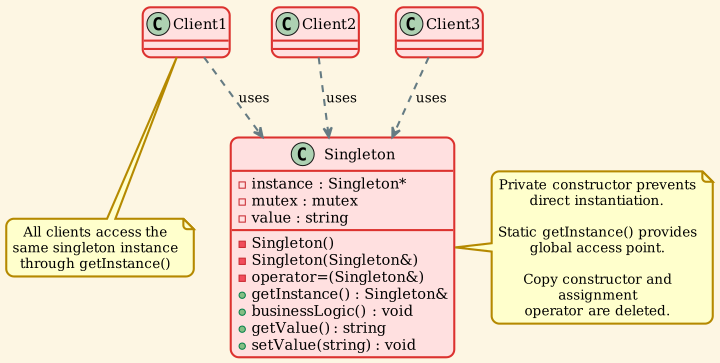
Singleton: Ensures a class has only one instance and provides a global point of access
-
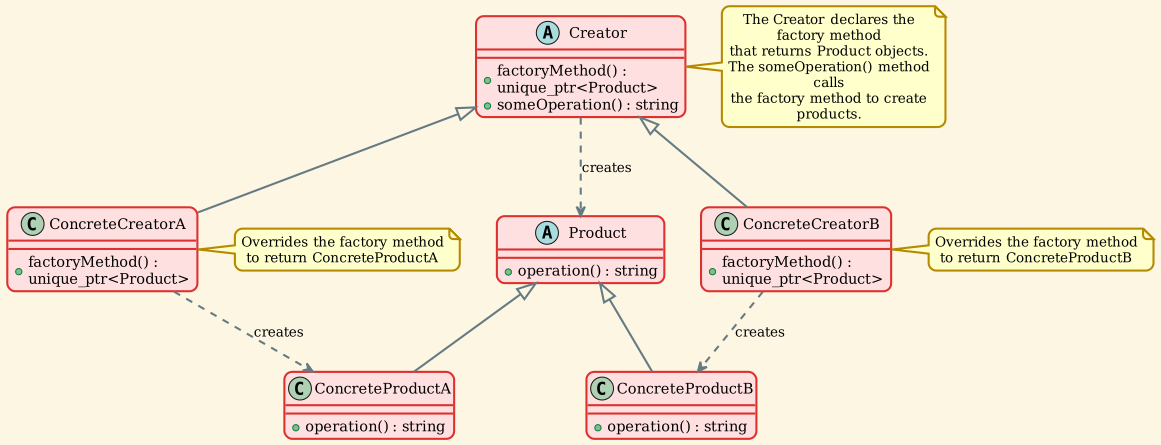
Factory Method: Defines an interface for creating objects, letting subclasses decide which class to instantiate
-
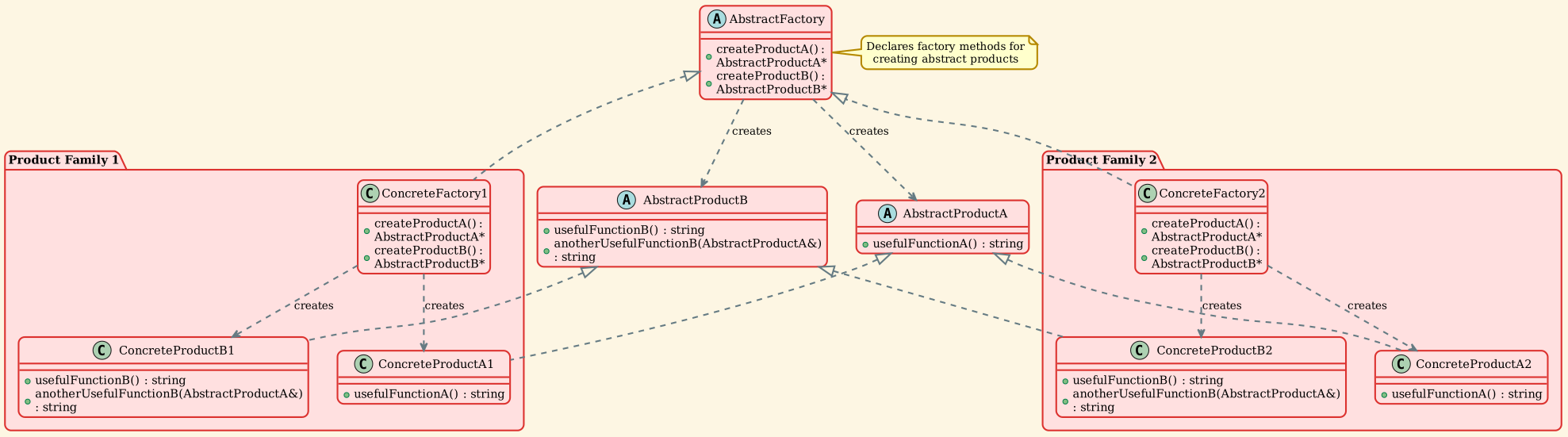
Abstract Factory: Provides an interface for creating families of related objects
-
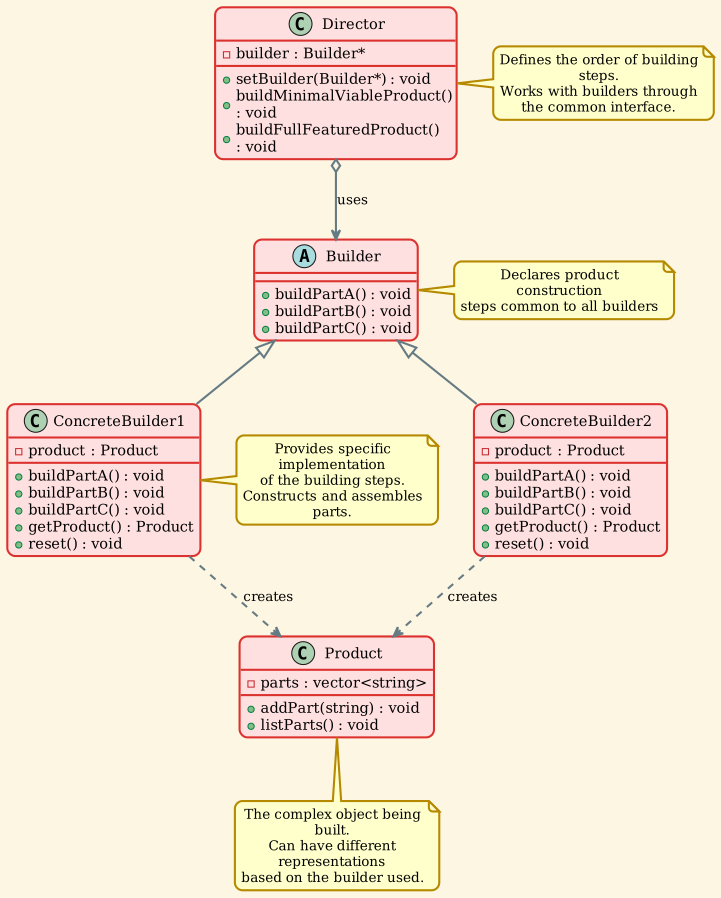
Builder: Separates the construction of complex objects from their representation
-
Prototype: Creates new objects by copying existing instances
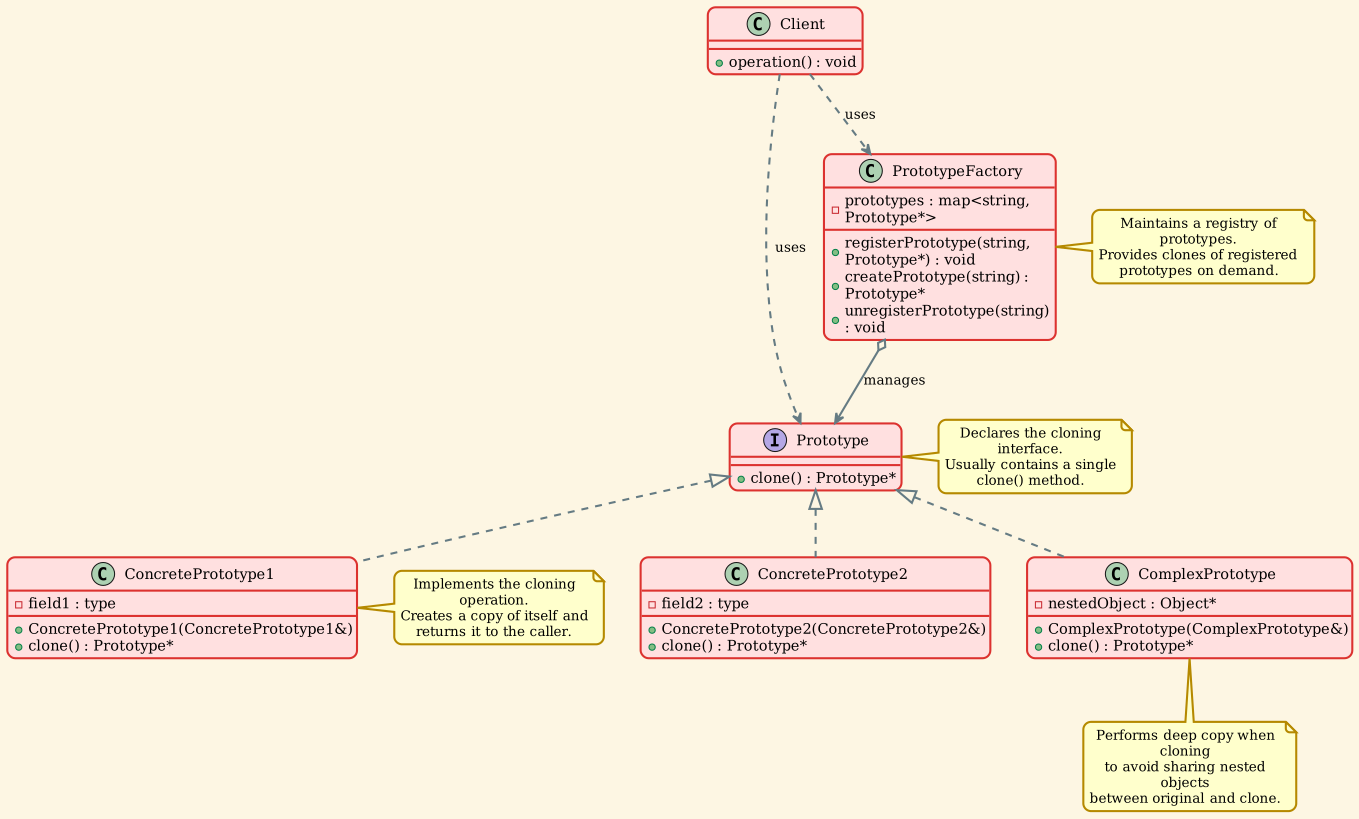
When to Use: When you need more flexibility in object creation than basic constructors provide.
2. Structural Patterns
Structural patterns explain how to assemble objects and classes into larger structures while keeping these structures flexible and efficient.
Key Patterns:
-
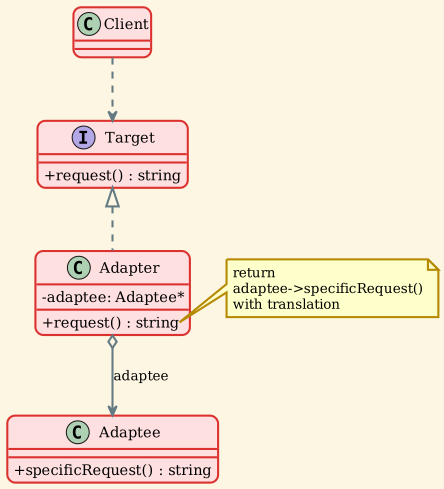
Adapter: Allows incompatible interfaces to work together
-
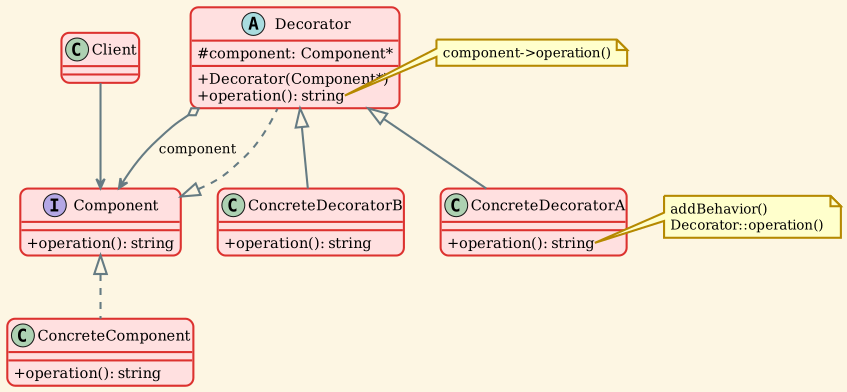
Decorator: Adds new functionality to objects dynamically
-
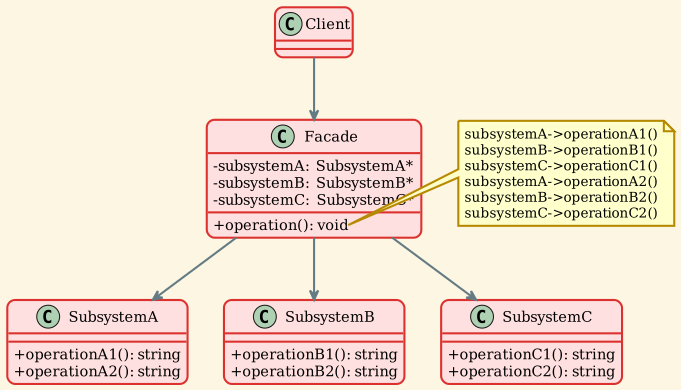
Facade: Provides a simplified interface to a complex subsystem
-
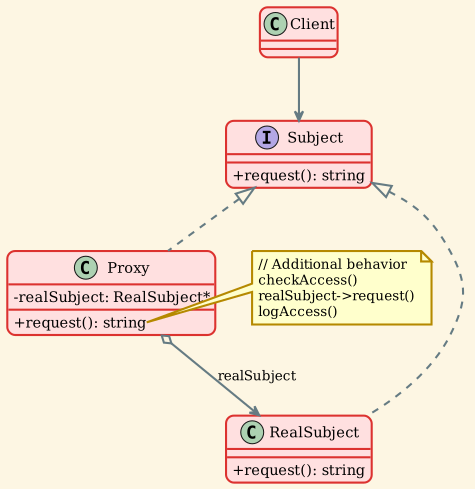
Proxy: Provides a placeholder or surrogate for another object
-
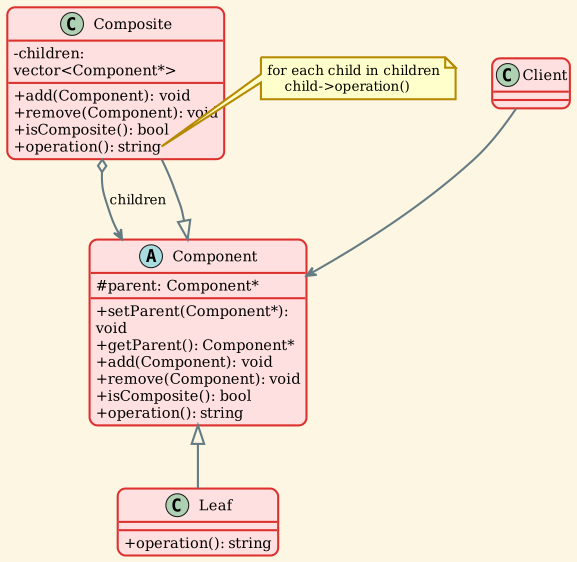
Composite: Composes objects into tree structures to represent hierarchies
-
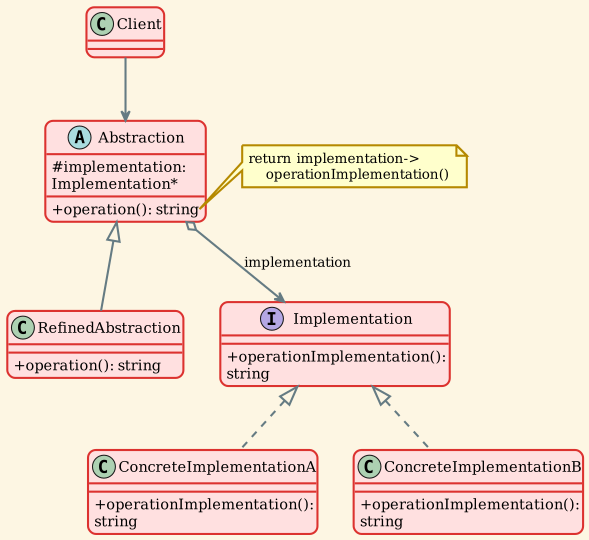
Bridge: Separates abstraction from implementation
-
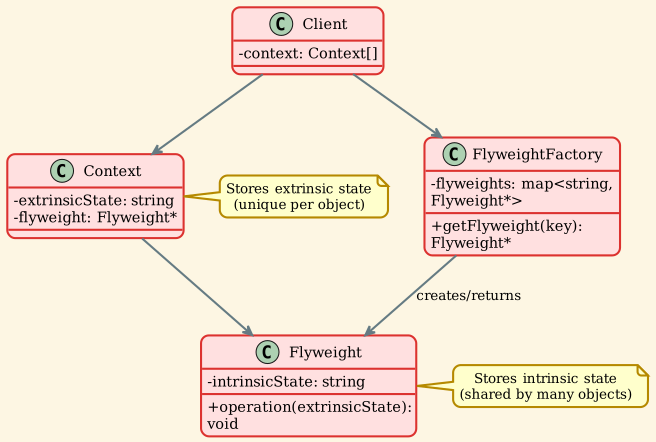
Flyweight: Reduces memory usage by sharing common state
When to Use: When you need to organize relationships between objects or create flexible class hierarchies.
3. Behavioral Patterns
Behavioral patterns are concerned with algorithms and the assignment of responsibilities between objects.
Key Patterns:
-
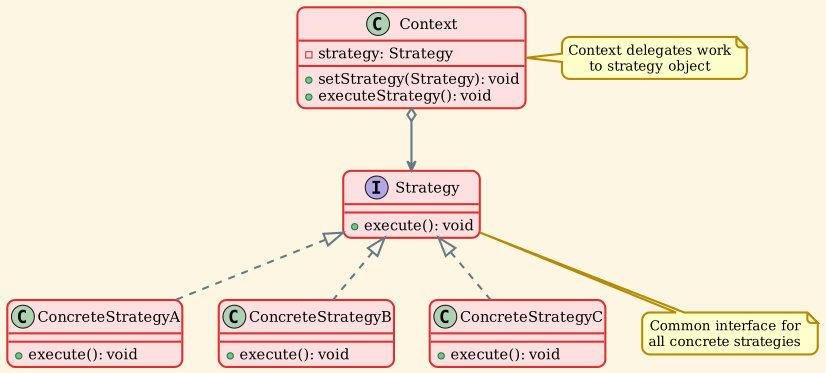
Strategy: Defines a family of algorithms and makes them interchangeable
-
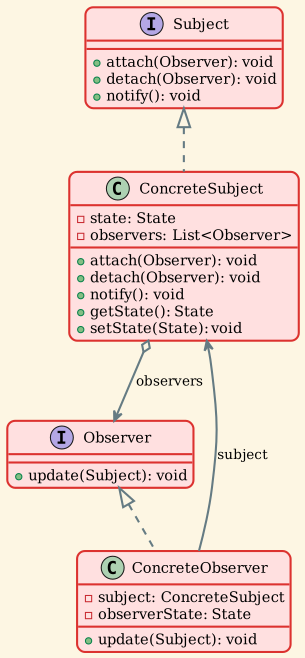
Observer: Defines a one-to-many dependency between objects
-
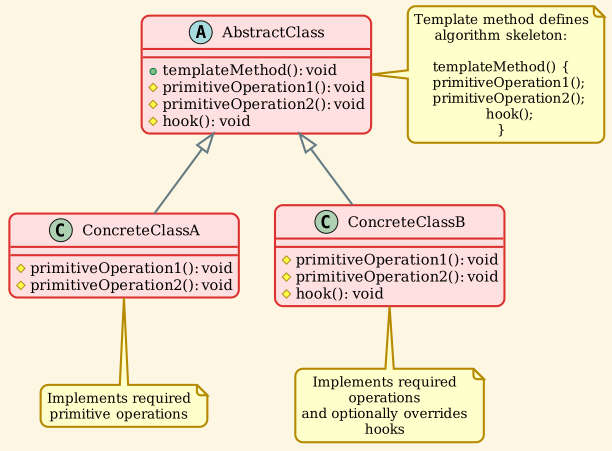
Template Method: Defines the skeleton of an algorithm, deferring some steps to subclasses
-
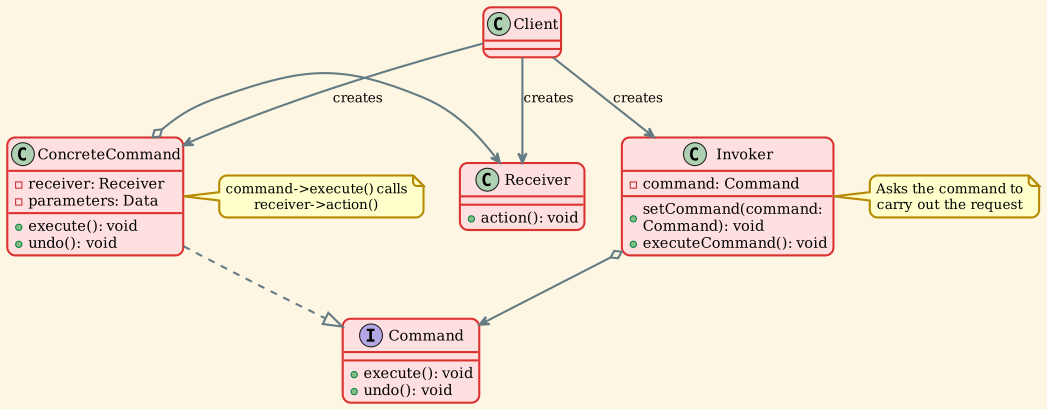
Command: Encapsulates a request as an object
-
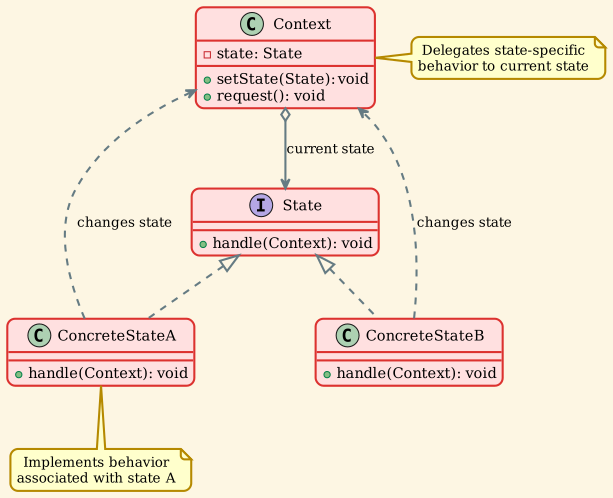
State: Allows an object to alter its behavior when its internal state changes
-
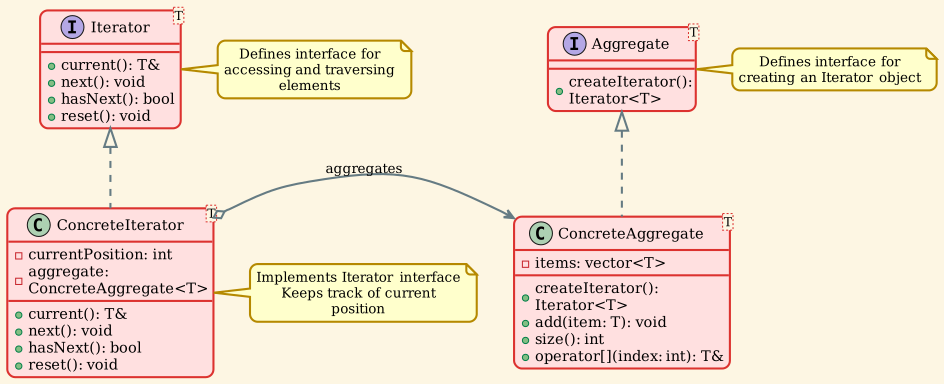
Iterator: Provides a way to access elements of a collection sequentially
-
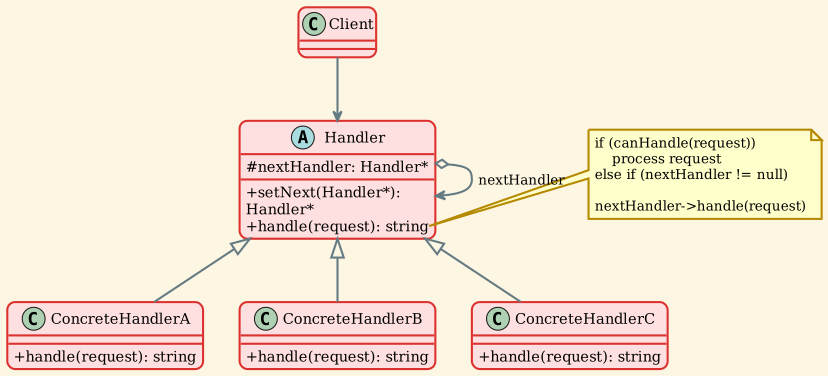
Chain of Responsibility: Passes requests along a chain of handlers
-
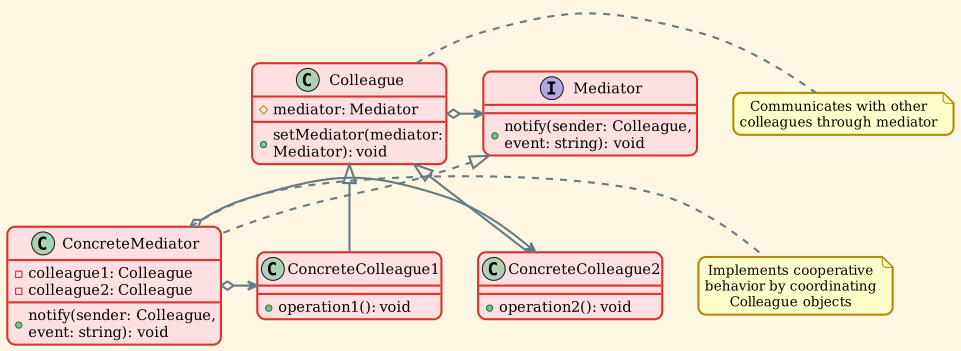
Mediator: Defines an object that encapsulates how objects interact
-
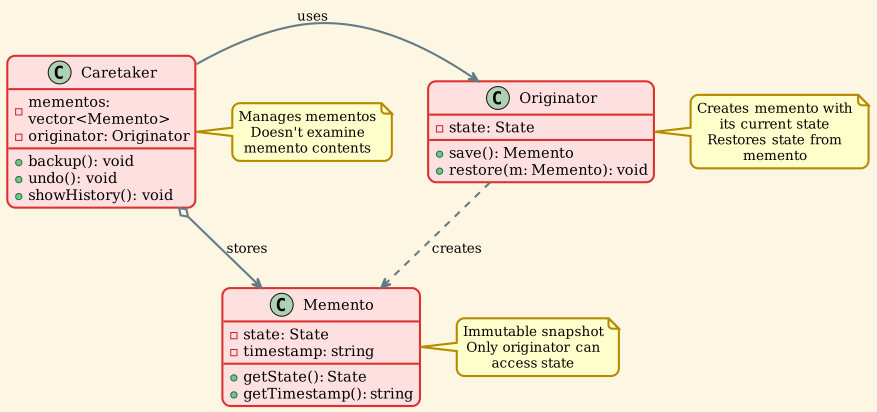
Memento: Captures and restores an object's internal state
-
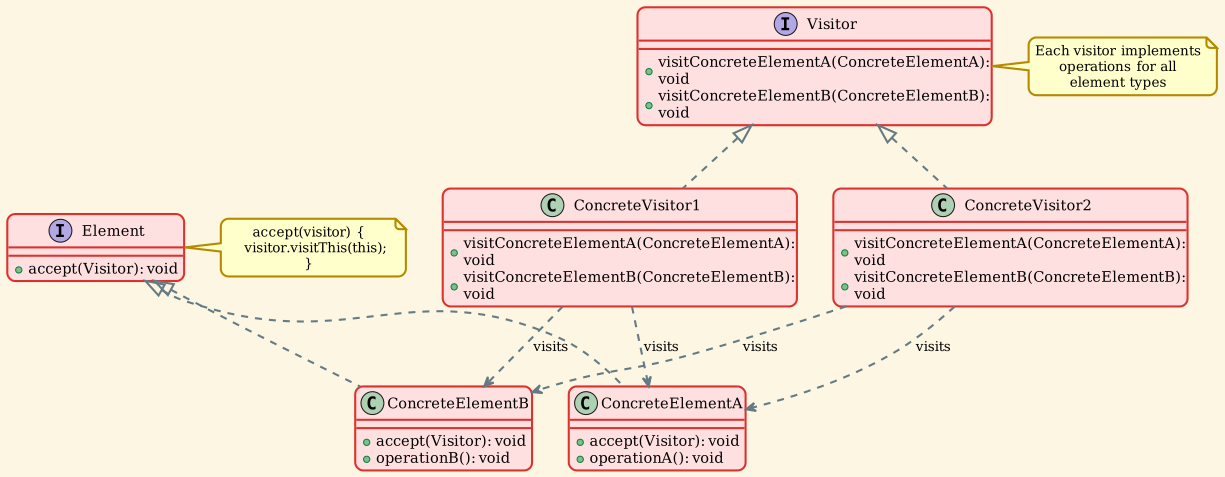
Visitor: Separates algorithms from the objects on which they operate
When to Use: When you need to define communication patterns between objects or encapsulate behavior.
Learning Path
For a complementary course on choosing ownership and processing boundaries, start Data-Oriented Design & ECS. It compares plain structs, inheritance, and composition on the same simulation; it does not assume that a pattern or ECS is always the right answer.
We recommend learning the patterns in the following order:
-
Start with Simple Patterns: Begin with Singleton, Strategy, and Observer - these are the most commonly used and easiest to understand
-
Move to Structural Patterns: Learn Adapter, Decorator, and Facade - these help you understand how to organize code better
-
Explore Creation Patterns: Factory Method and Abstract Factory - these teach you flexible object creation
-
Advanced Patterns: Template Method, Command, State - these require understanding of inheritance and polymorphism
-
Complex Patterns: Visitor, Mediator, Flyweight - these are more specialized and used in specific scenarios
Pattern Implementation
Each pattern in this guide includes:
- Intent: What problem the pattern solves
- Motivation: When and why to use it
- Structure: UML diagram showing the pattern's structure
- Implementation: C++ code example
- Use Cases: Real-world scenarios where the pattern applies
- Related Patterns: How this pattern relates to others
Getting Started
Choose a category from the navigation menu to explore specific patterns. Each pattern page includes detailed explanations, UML diagrams, and practical C++ implementations.